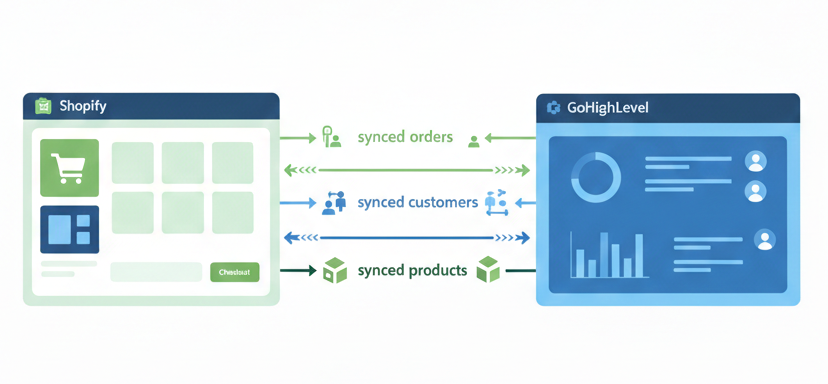
If you run a Shopify store, integrating it with your GoHighLevel sub-account helps you centralize customers, orders, and products while automating follow-ups and workflows.
This guide explains how to create a Shopify custom app, connect it to GoHighLevel, and configure data import and continuous sync.
Why Integrate Shopify with GoHighLevel?
Shopify integration allows GoHighLevel to pull key e-commerce data so you can automate marketing and sales actions based on real customer behavior.
Key benefits
- Centralized customers, orders, and products in GoHighLevel
- Automated order submitted & payment received workflows
- Sync products & collections without manual uploads
- Better segmentation for email, SMS, and automation
Step 1: Create a Custom App in Shopify
GoHighLevel requires a Shopify custom app with Admin API access.
Enable custom app development
- Log in to Shopify Admin
- Go to Apps
- Click Develop apps
- Click Allow custom app development
Create the app
- Click Create an app
- App name: Shopify – GoHighLevel Integration
- Select your email as developer
- Click Create app
Configure Admin API scopes
Enable the following:
- Orders →
read_orders - Customers →
read_customers - Products →
read_products - Inventory →
read_inventory
Click Save.
Install app & copy token
- Click Install app
- Open API credentials
- Click Reveal token once
- Copy the Admin API access token
Step 2: Connect Shopify to GoHighLevel
- Open your GoHighLevel sub-account
- Go to Settings → Integrations → Shopify
- Click Connect
- Paste the Admin API access token
- Enter your store URL
Example:yourstore.myshopify.com - Complete the connection
Step 3: Choose Data to Import
After connection, select what to import into GoHighLevel:
- Contacts
- Orders
- Transactions
- Products
- Collections
You can disconnect and reconnect later if you want to change imported data.
Step 4: Configure Continuous Sync
Enable ongoing sync for:
- Contacts
- Orders
- Transactions
- Order submitted trigger
- Payment received trigger
- Products
- Collections
Click Save to activate continuous syncing.
Initial sync time depends on store size.
Manage & Adjust Integration Settings
You can return anytime to:
- Enable or disable sync elements
- Fine-tune data flow as your automation strategy evolves
Important Notes
- Product taxes are not synced
- Only one transaction per order is created
- Order status syncs as Completed or Cancelled
- Merged Shopify contacts update the primary GHL contact
- Default Shopify SEO fields may appear null
Shopify Plan Limitations
Due to Shopify Admin API restrictions:
- Shopify Basic
- Customer PII not available
- Contacts, orders, and transactions cannot sync
- Shopify Advanced / Plus
- Full sync available (contacts, orders, transactions)
- All plans
- Products & collections can sync (API dependent)
Practical Use Cases in GoHighLevel
After integration, you can:
- Trigger thank-you emails & SMS
- Send review requests after payment
- Build purchase-based segments
- Run upsell & cross-sell automations
- Keep product data synced across funnels