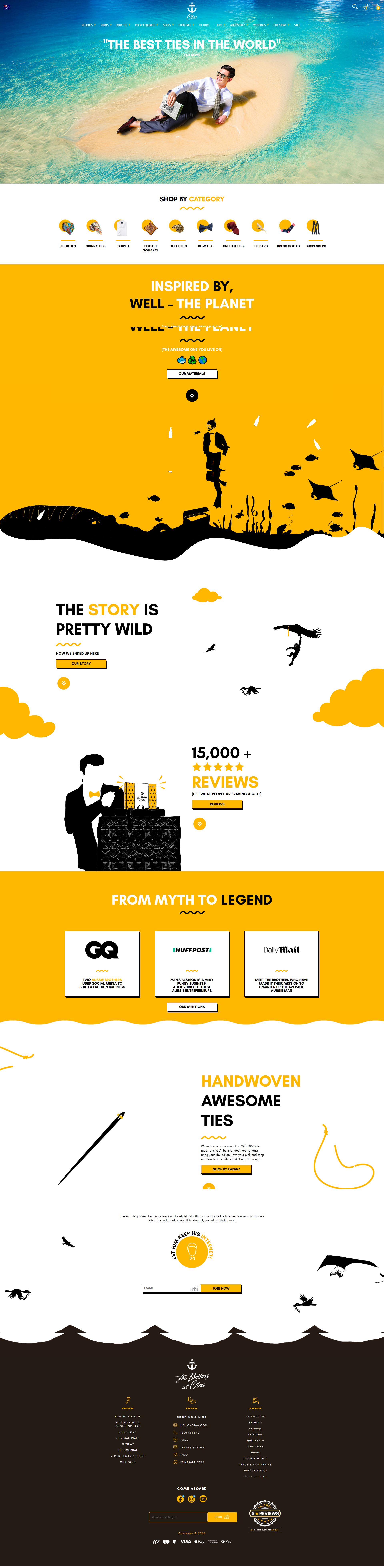
OTAA | Handmade Neckties,
Bowties & Dress Shirts
Handmade Tie Specialist: Skinny Ties, Neckties, Dress Shirts, Cufflinks, Pocket Squares, Knitted Ties, Bow Ties, Socks, Tie Bars, Lapel Pins
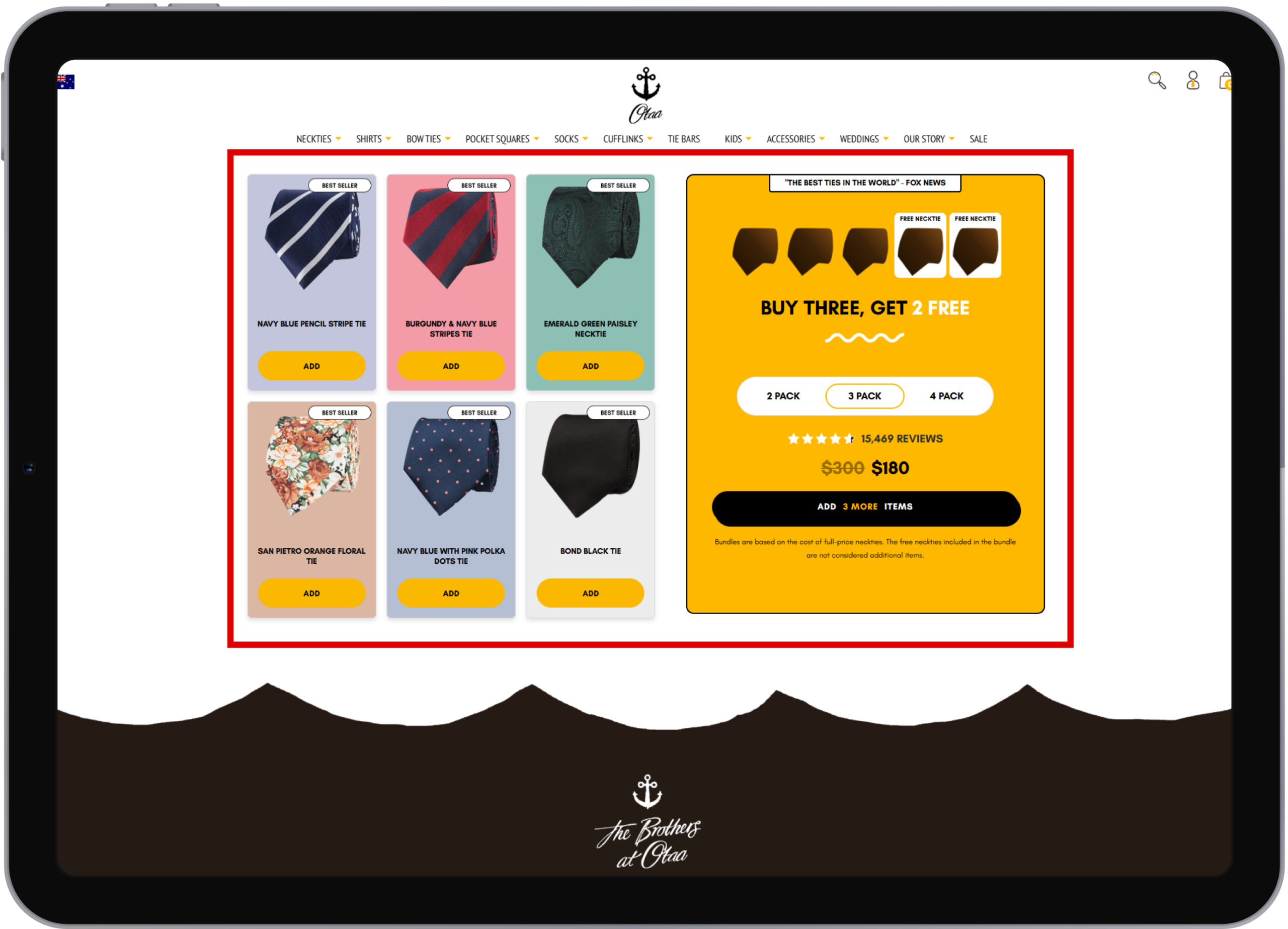
Advanced Custom Bundle Builder Flow
Implemented a fully customized bundle builder experience where users can choose pack options (2-pack, 3-pack, or 4-pack) on page load. Products are displayed on the left with add and quantity controls, allowing users to increment quantities as needed. The bundle remains incomplete until the selected pack requirement is fulfilled, keeping checkout disabled until completion. Once the bundle is complete, users can proceed to checkout and purchase the bundle seamlessly.
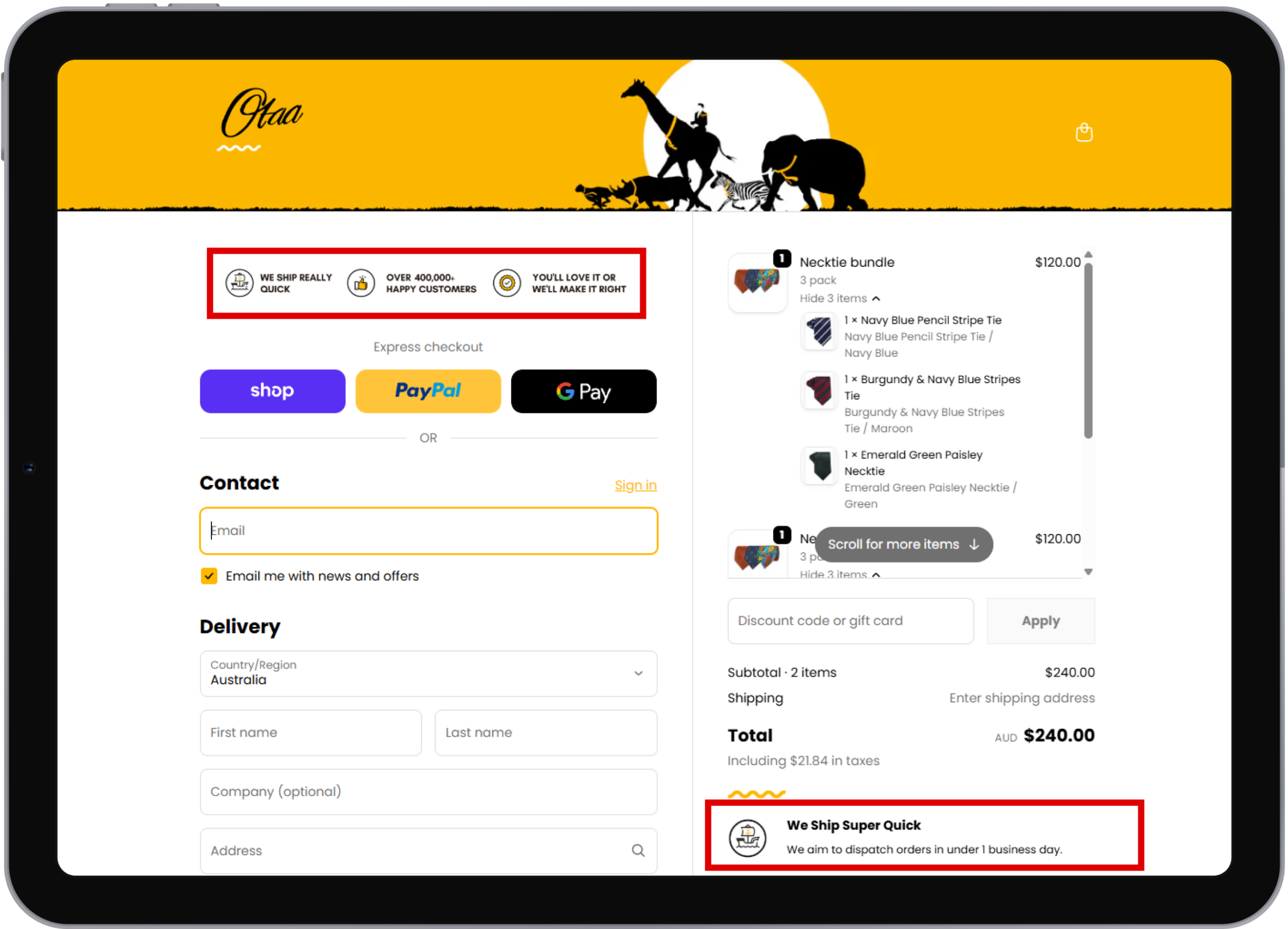
Custom Checkout Page Informational UI
Customized the checkout page layout by adding icon-with-text sections to enhance user trust and clarity. On the left side, informative icons with text are displayed above the address block, while on the right side a static, single-row section with icon, title, and subtitle is shown below the order total. These elements communicate key information about the website and improve the overall checkout experience.
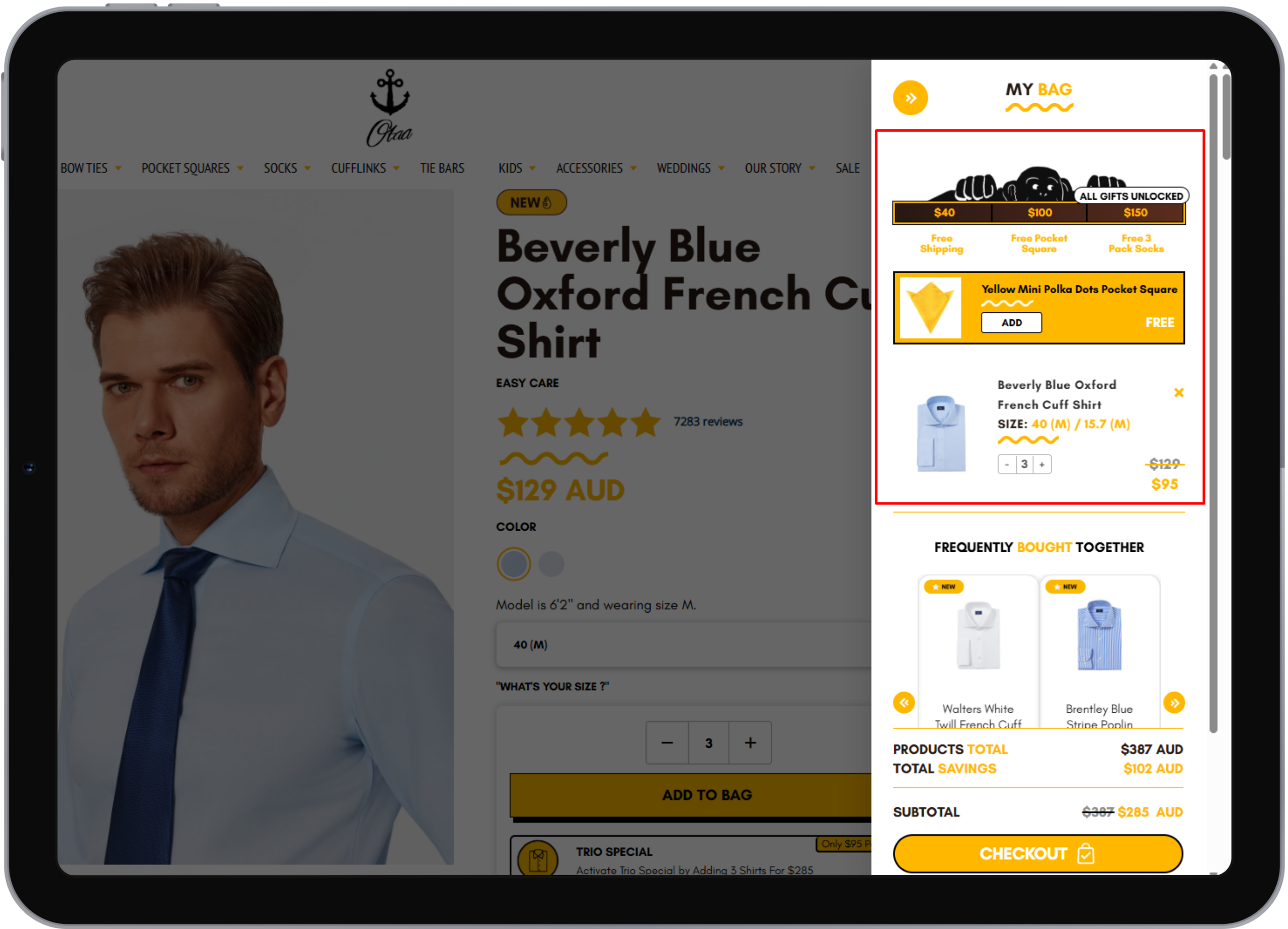
Dynamic Cart Progress Bar for Rewards & Free Shipping
Implemented a dynamic progress bar on the cart button that visually tracks cart value milestones. It informs users about rewards unlocked at different spend levels—free shipping at $40, a free pocket square at $100, and a 3-pack socks gift at $150. The progress bar updates in real time as the cart total increases or decreases, encouraging higher order value through clear incentive visibility.
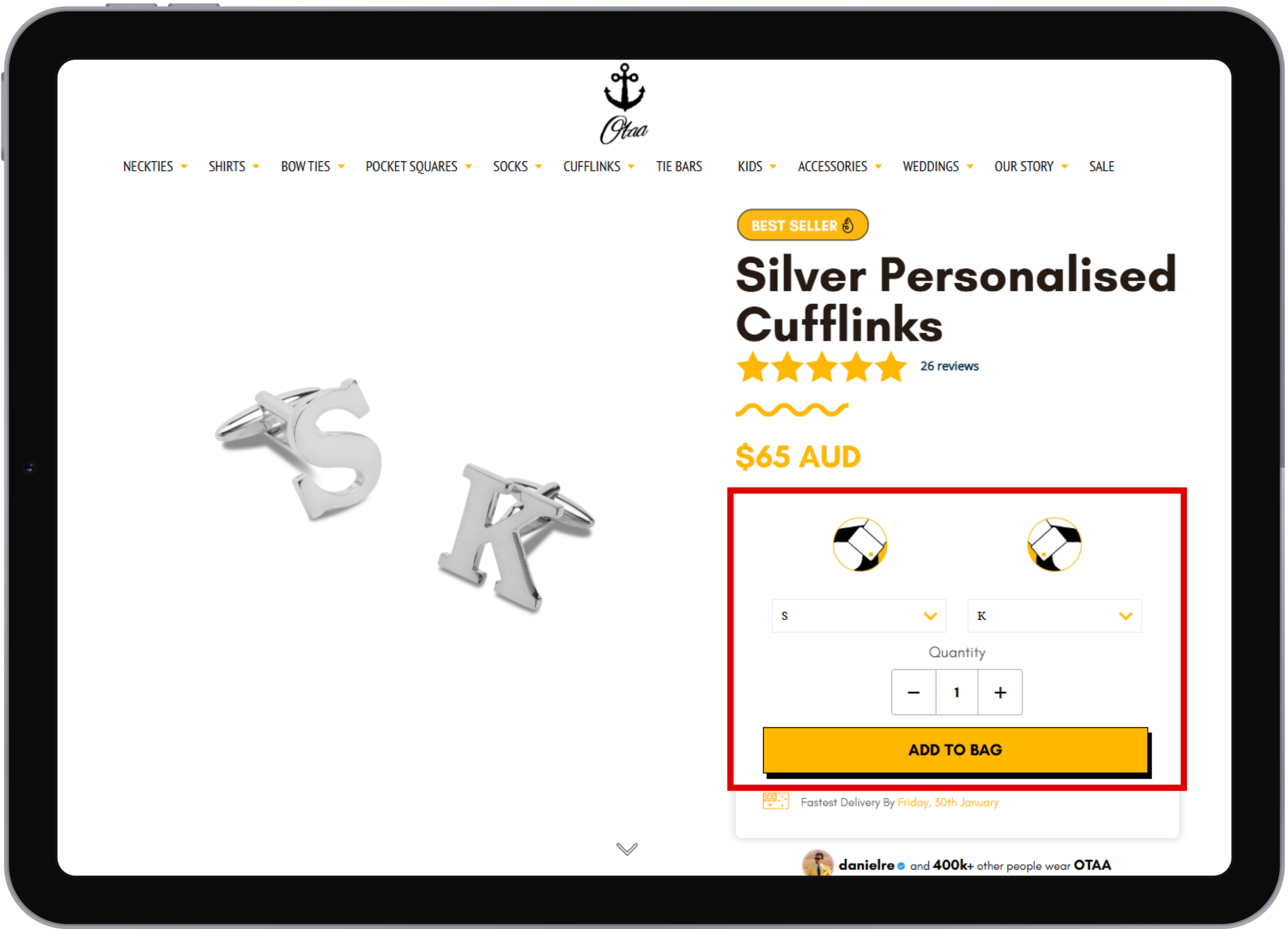
Personalized Cufflinks with Live Text Preview
This cufflinks product page includes a real-time personalization feature. Any text entered for the left cufflink is instantly reflected on the left-side image, and similarly, text entered for the right cufflink updates the right-side image in real time.
Once the customization is complete, the personalized details are saved and carried through to checkout, allowing customers to place an order with their exact custom text accurately applied.
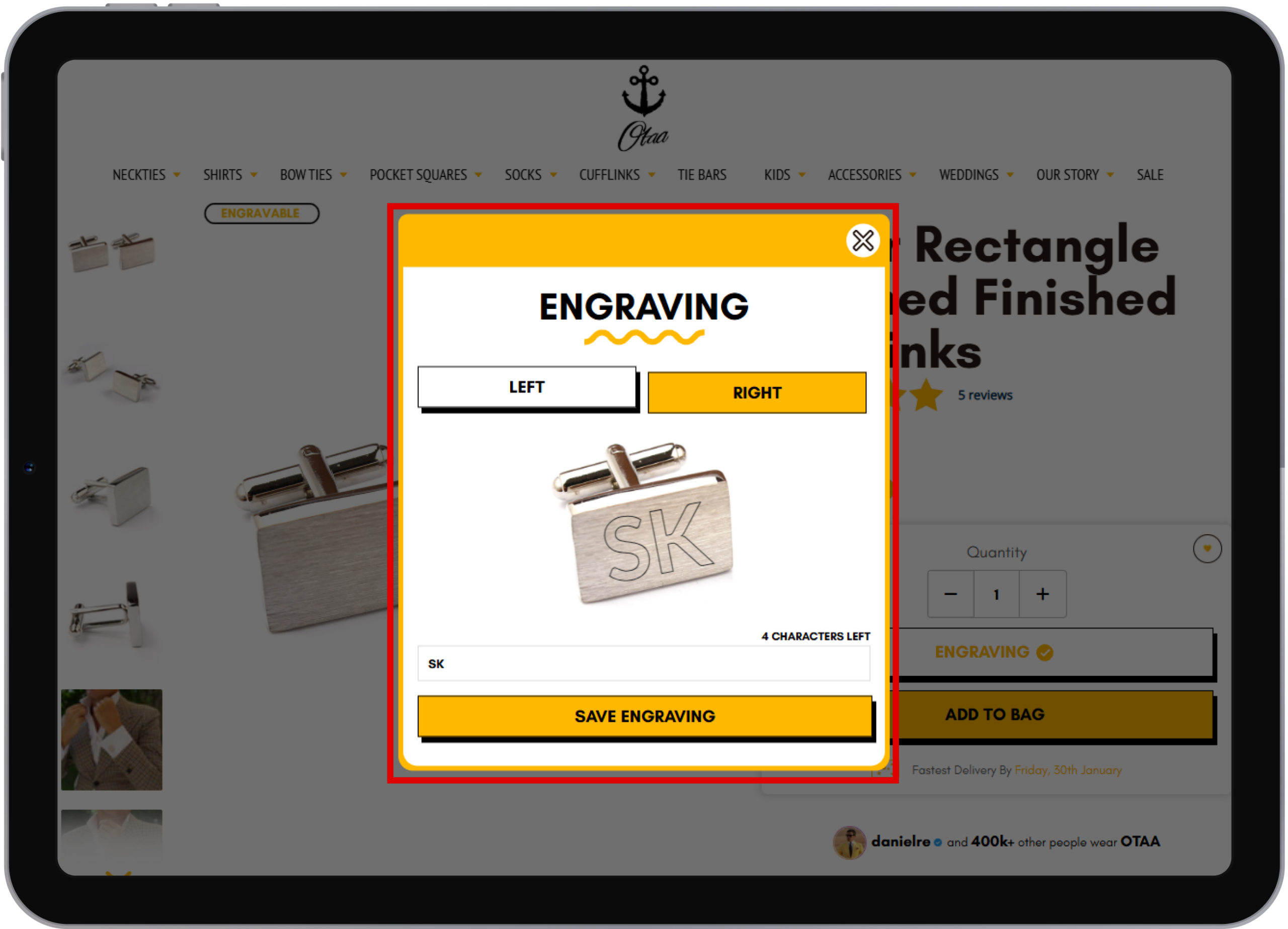
Custom Engraving with Live Preview
This engraving functionality allows customers to personalize their product by adding custom text with a live visual preview. The entered engraving text is instantly displayed on the product image, ensuring customers can see exactly how the engraving will appear. The selected engraving details are securely saved and included with the order during checkout, guaranteeing accurate and precise customization in the final product.
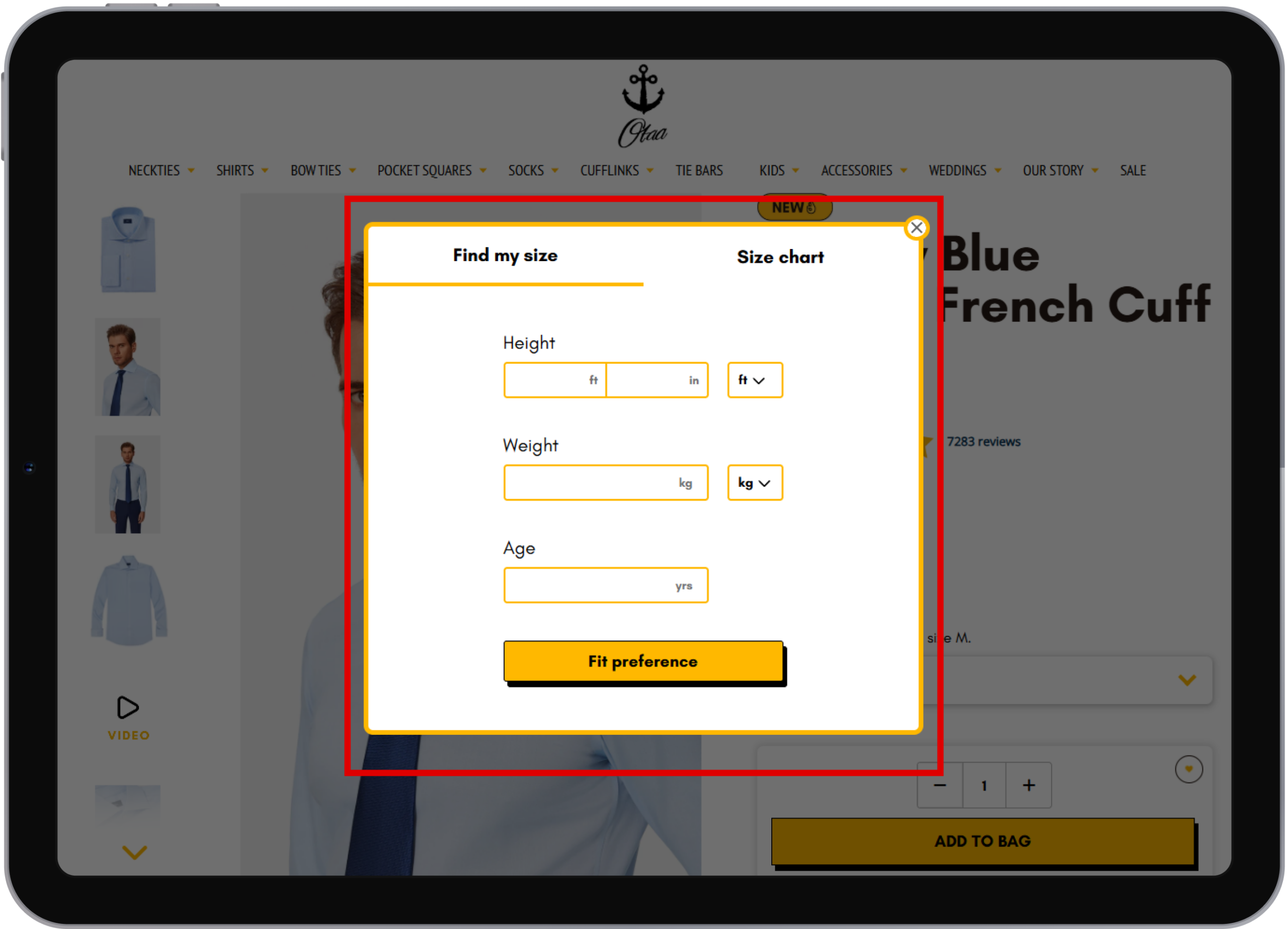
Find Your Perfect Fit – Instantly
Enter your height and weight, then choose how you prefer your shirt to fit — Slim, Regular, or Relaxed.
Our intelligent size finder instantly recommends the most accurate shirt size for you.
You can also view the Size Chart or click “Find My Size” to open the size-finder popup and calculate your ideal fit with ease.
Desktop View
Mobile View

Brands That Trust Our Shopify Development Agency